TRIBU-CR
Complete TRIBU-CR 2026 guide for businesses in Costa Rica
What TRIBU-CR is, how it replaces OVI, which tax obligations it manages, and how to prepare your business to stay compliant in 2026.
Author
Kontafico team
Updated
4/2/2026
Reviewed
Editorial and tax context
Informational content for Costa Rica. Review specific tax or accounting decisions with your accountant before filing.
Quick answer
What TRIBU-CR is, how it replaces OVI, which tax obligations it manages, and how to prepare your business to stay compliant in 2026.
What TRIBU-CR is and how it changes the old OVI workflow
TRIBU-CR (tribucr.hacienda.go.cr) is the Ministry of Finance tax platform that is gradually replacing the old Oficina Virtual. Its purpose is to centralize tax returns, notices, taxpayer records, and compliance certificates in one portal.
For businesses, the key change is that notices delivered through TRIBU-CR have full legal effect. If the email registered for the company is outdated or not monitored, you can miss deadlines without realizing it.
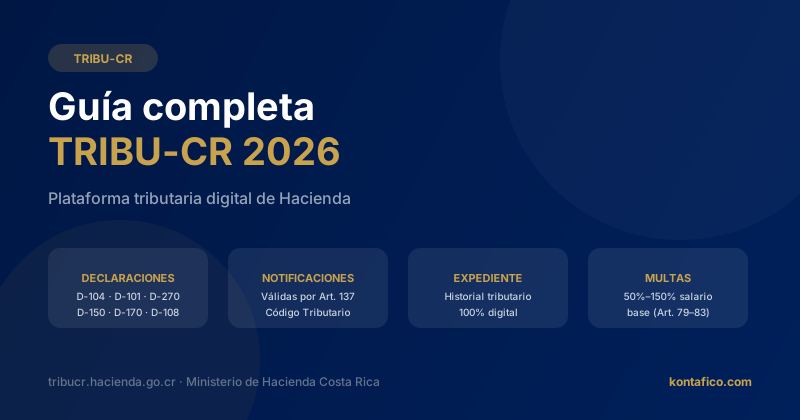
The platform already covers returns such as D-104, D-101, D-270, D-150, D-170, and D-108, along with the company’s digital tax file.
Information you should keep updated
Start by confirming that the email registered in TRIBU-CR is one your company actively monitors. It should not be a former employee’s address or a shared inbox with no clear owner.
You should also verify that the registered legal representative still has current authority and that the economic activity code reflects the company’s real line of business.
Before an audit or filing season, review the digital tax file to confirm there are no missing returns, unexplained blank periods, or unresolved notices.
Penalties that matter in 2026
Tax penalties in Costa Rica are tied to the annual base salary amount. Missing a required filing such as D-104 or D-270 can trigger a penalty equal to 75% of the base salary, plus late-payment interest on unpaid tax.
More serious violations, such as false information or resistance during an audit, can reach 150% of the base salary under the Tax Code.
Because TRIBU-CR cross-checks filed information against electronic invoices and other records, clean accounting data lowers the risk of automatic inconsistencies.
How to prepare your business step by step
Log in to TRIBU-CR and verify your notification email, legal representative details, and registered CIIU activity code before a notice arrives at the wrong place.
Build a tax calendar with the key deadlines your company must follow, assign a responsible person for each filing, and add reminders several days in advance.
Keep invoicing, expenses, and banking synchronized in your accounting system so the information you file matches Hacienda’s records.
Common mistakes and how to avoid them
The most common mistake is failing to update the email when a bookkeeper, accountant, or administrator changes. Hacienda will not resend notices.
Another frequent issue is using an activity code that does not match the real business activity, which creates cross-checking alerts.
Many companies also forget that the tax status certificate has a limited validity period and is often required for bids, contracts, and bank applications.
Stay compliant with TRIBU-CR without the stress
Keep invoicing, accounting, and your tax calendar in one place so filing deadlines never catch your team off guard.
Try Kontafico freeFrequently asked questions
Does TRIBU-CR completely replace OVI?
TRIBU-CR is absorbing OVI functions step by step. In practice, you should already treat TRIBU-CR as the main tax portal and use OVI only for any specific process that has not migrated yet.
Are TRIBU-CR notices legally valid even if I never open them?
Yes. Electronic notices are valid from the moment they are sent to the registered email. That is why keeping the contact email current is critical.
What happens if I miss a filing deadline in TRIBU-CR?
You can face a filing penalty plus monthly late interest on unpaid tax. Repeated noncompliance or issues discovered during an audit can increase the severity of the sanction.
Can Kontafico help me prepare the information for TRIBU-CR?
Yes. Kontafico keeps invoicing, expenses, reconciliation, and reports aligned so your accountant has consolidated data ready when it is time to file.